> ## Documentation Index
> Fetch the complete documentation index at: https://docs.gitnotifier.com/llms.txt
> Use this file to discover all available pages before exploring further.
# Slash Commands
> Discover every GitNotifier slash command, with examples for muting or unmuting pull requests, searching PRs by title, and listing muted items.
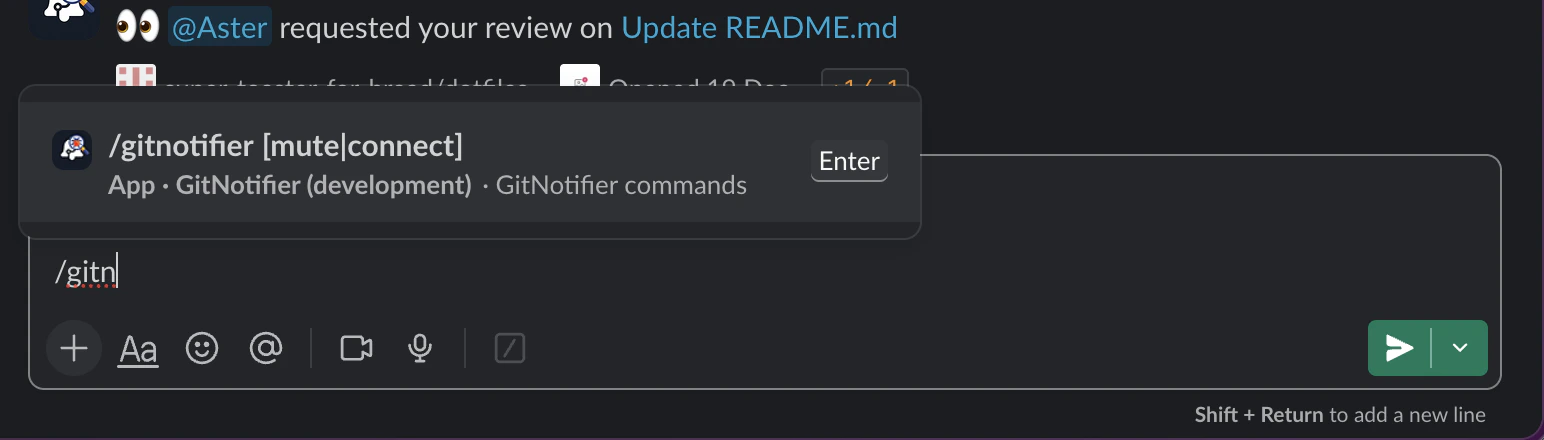
GitNotifier exposes one slash command: `/gitnotifier`.
 ## Available Commands
### `/gitnotifier help`
Show command help.
### `/gitnotifier mute`
Mute PR notifications in the current PR thread.
### `/gitnotifier unmute`
Unmute PR notifications in the current PR thread.
### `/gitnotifier mute owner/repo#123`
Mute a specific pull request.
### `/gitnotifier pr`
Show your assigned/review-requested open PR digest as an ephemeral Slack message (same PR scope as scheduled reminders, with a command-specific title).
### `/gitnotifier list` and `/gitnotifier ls`
Aliases for `/gitnotifier pr`.
### `/gitnotifier muted`
Show all currently muted PRs for your account in Slack, with clickable PR links.
### `/gitnotifier emoji me`
Build a custom emoji draft from your own Slack profile photo. GitNotifier replies with an ephemeral **128x128 preview** and a **download link** to the PNG.
### `/gitnotifier emoji @user`
Build a custom emoji draft from a teammate profile photo (use a real Slack @mention).
GitNotifier also shows quick upload steps:
1. Click the generated **Download PNG** button (or link).
2. Hover any message, click the reaction icon, then click **Add a custom emoji**.
3. Upload the image and save an emoji name.
GitNotifier adds a reminder that it is better to ask the person first.
### `/gitnotifier mute `
Mute a pull request by searching open PR titles in GitHub (for example: `/gitnotifier mute NT-6879`, `/gitnotifier mute nx upgrade`, `/gitnotifier mute fix issue with memory`).
GitNotifier runs this scoped query with your GitHub user context:
* `is:pr is:open archived:false in:title "" involves:@me`
If you wrap search text in single/double quotes (including smart quotes), GitNotifier strips wrapping quotes before querying.
* If exactly one open PR matches, GitNotifier mutes it.
* If multiple open PRs match, GitNotifier shows up to 3 candidates and asks you to pick one with `owner/repo#123` or refine your search.
* If no open PR matches, GitNotifier asks for a more specific search or an explicit PR reference.
* Under the hood, GitNotifier uses GitHub Search API with `is:pr is:open archived:false in:title "" involves:@me`.
### `/gitnotifier mute https://github.com/owner/repo/pull/123`
Mute a specific pull request by full GitHub URL (fragments like `#discussion_r...` are supported).
### `/gitnotifier unmute owner/repo#123`
Unmute a specific pull request.
### `/gitnotifier connect`
Start the GitHub connect flow for your Slack user (same flow as App Home and invite links).
If you are already connected, GitNotifier returns an ephemeral "already connected" message and does not start OAuth.
## Accepted PR Reference Formats
* `owner/repo#123`
* `https://github.com/owner/repo/pull/123`
* `https://github.com/owner/repo/pull/123#discussion_r456`
## Quick Usage
```bash theme={"theme":{"light":"github-light","dark":"github-dark"}}
/gitnotifier mute
/gitnotifier unmute
/gitnotifier muted
/gitnotifier pr # aliases: list, ls
/gitnotifier emoji me
/gitnotifier emoji @francois
/gitnotifier mute acme/api#42
/gitnotifier mute NT-6879
/gitnotifier mute fix issue with memory
/gitnotifier mute https://github.com/contentful/optimization/pull/205
/gitnotifier mute https://github.com/ninetailed-inc/kubernetes-infra/pull/598#discussion_r3001364001
/gitnotifier unmute acme/api#42
```
## Available Commands
### `/gitnotifier help`
Show command help.
### `/gitnotifier mute`
Mute PR notifications in the current PR thread.
### `/gitnotifier unmute`
Unmute PR notifications in the current PR thread.
### `/gitnotifier mute owner/repo#123`
Mute a specific pull request.
### `/gitnotifier pr`
Show your assigned/review-requested open PR digest as an ephemeral Slack message (same PR scope as scheduled reminders, with a command-specific title).
### `/gitnotifier list` and `/gitnotifier ls`
Aliases for `/gitnotifier pr`.
### `/gitnotifier muted`
Show all currently muted PRs for your account in Slack, with clickable PR links.
### `/gitnotifier emoji me`
Build a custom emoji draft from your own Slack profile photo. GitNotifier replies with an ephemeral **128x128 preview** and a **download link** to the PNG.
### `/gitnotifier emoji @user`
Build a custom emoji draft from a teammate profile photo (use a real Slack @mention).
GitNotifier also shows quick upload steps:
1. Click the generated **Download PNG** button (or link).
2. Hover any message, click the reaction icon, then click **Add a custom emoji**.
3. Upload the image and save an emoji name.
GitNotifier adds a reminder that it is better to ask the person first.
### `/gitnotifier mute `
Mute a pull request by searching open PR titles in GitHub (for example: `/gitnotifier mute NT-6879`, `/gitnotifier mute nx upgrade`, `/gitnotifier mute fix issue with memory`).
GitNotifier runs this scoped query with your GitHub user context:
* `is:pr is:open archived:false in:title "" involves:@me`
If you wrap search text in single/double quotes (including smart quotes), GitNotifier strips wrapping quotes before querying.
* If exactly one open PR matches, GitNotifier mutes it.
* If multiple open PRs match, GitNotifier shows up to 3 candidates and asks you to pick one with `owner/repo#123` or refine your search.
* If no open PR matches, GitNotifier asks for a more specific search or an explicit PR reference.
* Under the hood, GitNotifier uses GitHub Search API with `is:pr is:open archived:false in:title "" involves:@me`.
### `/gitnotifier mute https://github.com/owner/repo/pull/123`
Mute a specific pull request by full GitHub URL (fragments like `#discussion_r...` are supported).
### `/gitnotifier unmute owner/repo#123`
Unmute a specific pull request.
### `/gitnotifier connect`
Start the GitHub connect flow for your Slack user (same flow as App Home and invite links).
If you are already connected, GitNotifier returns an ephemeral "already connected" message and does not start OAuth.
## Accepted PR Reference Formats
* `owner/repo#123`
* `https://github.com/owner/repo/pull/123`
* `https://github.com/owner/repo/pull/123#discussion_r456`
## Quick Usage
```bash theme={"theme":{"light":"github-light","dark":"github-dark"}}
/gitnotifier mute
/gitnotifier unmute
/gitnotifier muted
/gitnotifier pr # aliases: list, ls
/gitnotifier emoji me
/gitnotifier emoji @francois
/gitnotifier mute acme/api#42
/gitnotifier mute NT-6879
/gitnotifier mute fix issue with memory
/gitnotifier mute https://github.com/contentful/optimization/pull/205
/gitnotifier mute https://github.com/ninetailed-inc/kubernetes-infra/pull/598#discussion_r3001364001
/gitnotifier unmute acme/api#42
```