
Reviewed PRs struck through in your digest
- 👀 When you submit a review (approve or request changes) on a PR in your latest PR Review Digest, GitNotifier now strikes through that line in place and marks it reviewed, no new ping. Only your own line is struck, so teammates who still owe a review keep theirs.
No more empty PR review digests
- 🤫 When you have no assigned or review-requested open PRs, GitNotifier now skips the scheduled PR Review Digest instead of DMing you an empty one.
Merged and closed PRs struck through in your digest
- ✅ When a PR in your latest PR Review Digest is merged or closed, GitNotifier now strikes through that line in place and marks it merged or closed, no new ping.
Edited comments update Slack in place
- ✏️ When someone edits a GitHub comment, GitNotifier now quietly updates the original Slack message in place instead of doing nothing or sending a duplicate. No new ping. - 🔔 Prefer a fresh message on every edit? Turn on Comment update notifications in Slack App Home. That path still respects Do Not Disturb and your mute settings.
Weekly tips
- 💡 GitNotifier now sends you one short product tip in Slack every Tuesday at noon. Each tip surfaces a feature that helps you stay on top of code reviews. - Toggle weekly tips on or off anytime from the Weekly tips button in Slack App Home. Tips are on by default.
Multiple scheduled reminder times per day
- ⏰ Scheduled reminders can now fire at up to 4 times per day on the same cadence, e.g. weekdays at 9 am and 2 pm. Previously you could pick only a single time. - 🕘 Pick your times from one multi-select in the Slack Configure reminders modal, in 30-minute increments. Your existing single time is carried over automatically, so nothing changes unless you add more. - 🏠 App Home and the first-digest intro now list every reminder time (e.g. “9 am and 2 pm”).
React on notifications to act on GitHub
- ✨ React to a comment notification with a native Slack emoji and GitNotifier mirrors it onto the
GitHub comment. Remove the emoji to remove the GitHub reaction. All 8 GitHub reactions are
supported: 👍, 👎, 😄, 🎉, 😕, ❤️, 🚀, 👀. - 🔇 React to a PR notification with 🔇 (
:mute:or:no_bell:) to mute the pull request, and remove the reaction to unmute. It uses the same PR-level mute rule as/gitnotifier mute. - Each reaction runs against your own GitHub account and mute settings, so it only affects you. GitNotifier confirms every action with a short reply in the message thread. - 🔐 If your Slack install is missing a permission the reaction needs, GitNotifier now replies in-thread asking a workspace admin to re-install with the latest permissions, instead of doing nothing. - ⚠️ New Slack scope:im:history(read the single DM you reacted to). Workspace admins should re-install GitNotifier to pick up reaction support.
Better bot comment notifications and smoother Slack setup
- 🤖 Better bot comment notifications in Slack. - Fixed a bug where bot comments were silently
dropped even when you had “Mute all comments from bots” turned off. If you opted in to bot
comments, you now actually receive them (including accounts like Copilot that don’t use a
[bot]suffix). - Comment edits from assistants likeclaude[bot], Copilot, and Cursor (which update a single comment with fresh analysis) now notify you, instead of only the original comment. - Cursor Bugbot review comments now include Fix in Cursor and Fix in Web buttons right in the notification. - Bot senders are clearly prefixed with 🤖, previews show up to 3 lines as a blockquote, and GitHub Markdown is cleanly converted to Slack formatting (noisy bot metadata stripped out). - ✨ New feature preview: Truncate GitHub comments toggle in Slack App Home. Enabled by default (comments are trimmed to a short preview). Turn it off to receive the full comment body from anyone, human or bot, with GitHub Markdown converted to native Slack formatting: code blocks, lists, and bold/italic text render directly in Slack so you can read and act without clicking through to GitHub. - 🔗 Smoother Slack setup when GitHub isn’t connected yet. - Using a Slack action (mute rules, scheduled reminders, invites) before connecting GitHub now shows a one-click Connect GitHub prompt instead of failing silently.
Billing, dashboard, and Slack responsiveness
- 💳 Improved billing dashboard with a usage bar and tiered plan cards so you can see your plan limits at a glance. - 🏢 Dashboard now surfaces pending GitHub org installation approval requests, so you can track whether your GitHub App install is still awaiting admin approval. - 📧 Requesters now receive an email once their GitHub org installation request is approved. - ⚡ Slack emoji reactions (e.g. marking a PR as done) now acknowledge instantly, eliminating the perceived lag. - ⚡ Slack modal submissions (e.g. invite flows) now acknowledge immediately for a snappier experience.
Mute visibility and Slack permissions self-serve
- ✨ New command:
/gitnotifier mutedto list all currently muted PRs with direct links. - 🔕 Added Reviewer Comment Quiet Mode in Slack App Home mute settings. - Mutes reviewer-scoped PR comment notifications. - Keeps the initial review-request DM. - Direct@mentionsstill notify. - 🔐 Added a Slack permissions update flow in the dashboard (Slack is connectedcard menu → Update Permissions) with docs and screenshot guidance.
Smarter slash command mute search
- ✨ Added
/gitnotifier connectso users can launch the GitHub connect flow directly from Slack with a one-click Connect GitHub button. - ✨ New command:/gitnotifier emoji meand/gitnotifier emoji @userto generate a custom emoji-ready profile image download link directly in Slack. - ✨ Improved/gitnotifier muteso it can resolve open PRs by title search text (for example ticket IDs or short phrases) when no explicit PR reference is provided. - When multiple open PRs match, GitNotifier now shows up to 3 candidates and asks you to pick one explicitly or refine the search. - 🔕 Added team-level mute rules in Slack App Home (Mute settings) so users can mute review requests for specific GitHub teams (for example@chapter-nodejs). - When a PR is review-requested to a muted team, GitNotifier now auto-mutes that PR for the user. - Direct GitHub@mentionsstill notify the user.
Slack commands and lifecycle quality
- 📚 Public documentation at https://docs.gitnotifier.com/ is
live 🚀! - Rework the changelog page & move it under our new documentation - Enable RSS feed for
the changelog - Document new features and improvements such as the new slash commands - 🔧
Improved the slack notification on pull request updates by showing who reviewed the PR. If it’s
the junior in the team, you still might want to have a look at the PR… ;) - ✨ Added
/gitnotifier muteand/gitnotifier unmuteslash commands for PR-level mute control directly from Slack threads.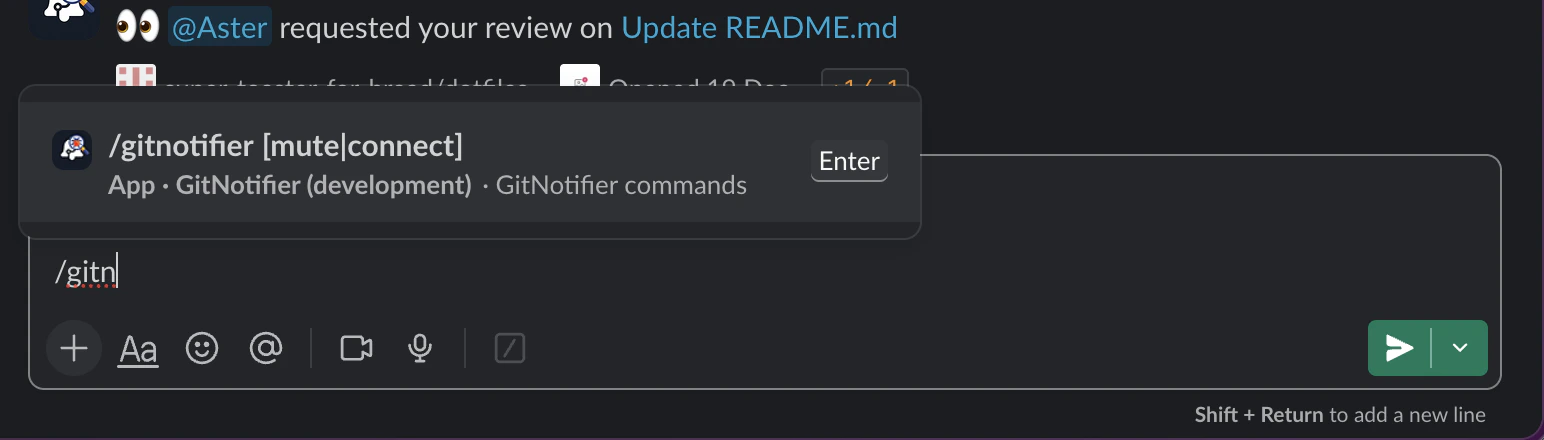 - 🧪 Added a
new Feature preview section in Slack App Home so users can opt in to experiments. - First
sneak-peak: New Slack notification design for PR review-request notifications.
- 🧪 Added a
new Feature preview section in Slack App Home so users can opt in to experiments. - First
sneak-peak: New Slack notification design for PR review-request notifications. 
From Secure to Super Secure
- 🛡️ Hardened OAuth and callback flows with stricter state handling, improved sanitization, and safer error rendering. - 🛡️ Added stronger security posture across web and API with improved response headers and reduced internal error leakage.
Dashboard analytics and UX
- ✨ Launched dashboard analytics with panels for CI failures, active repositories, comment activity, and top failing repositories. - 🔧 Improved light theme readability in onboarding and connected-user modals.
Public Beta launch
- 🚀 Public beta launched! 🎉 with: - scheduled reminders - Slack App Home controls - improved notification actions in Slack. - 📚 Added public security disclosure page and onboarding/support docs updates.
Private Alpha launch
- 🚀 Initial alpha release with core GitHub + Slack integration and foundational PR notifications.