
/gitnotifier is not a valid command, see Troubleshooting.
Notice that we do not read your slack messages.
Update permissions when the Slack app scopes change
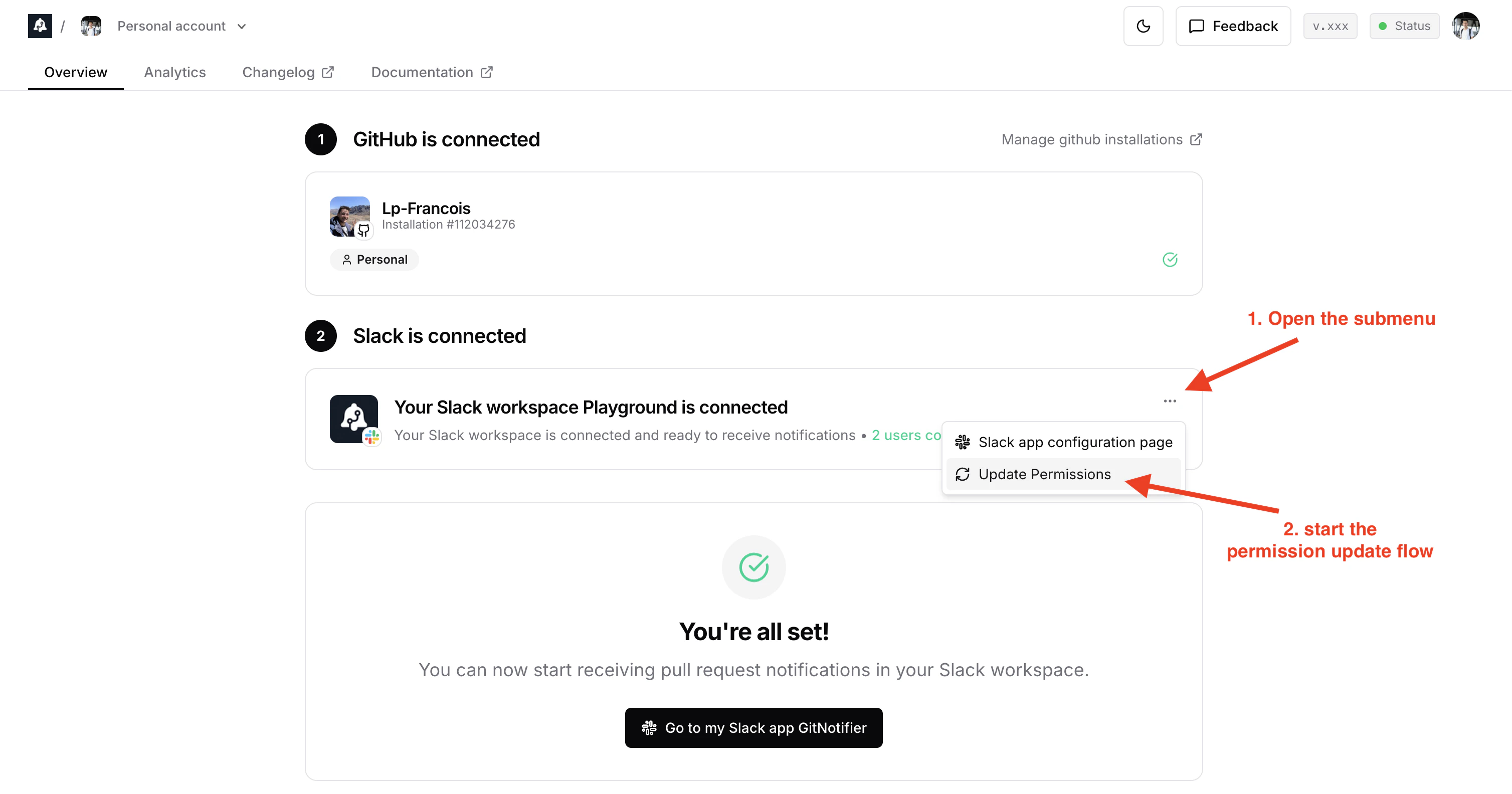
When GitNotifier ships a feature that needs new Slack scopes, your workspace admin must approve the updated permissions. From the gitnotifier Dashboard:- Go to the Slack is connected card.
- Click the three-dot menu in the top-right of the Slack card.
- Click Update Permissions.
- If you are a Slack admin, you can do the permissions update flow in 2 clicks.
- If you are not a Slack admin, Slack lets you submit a permissions update request and notifies your workspace admins by email that they need to approve it.
Requested Bot Token Scopes
chat:write
Send messages as @GitNotifier.
Why we need it:
- Send direct notifications for GitHub events (new comments, CI failures, PR ready to merge, and similar updates).
commands
Add slash commands and shortcuts.
Why we need it:
- Support Slack command actions like muting/unmuting PRs.
- Support account connect/authorize flows from Slack without requiring App Home navigation.
emoji:read
View custom emoji in a workspace.
Why we need it:
- Support richer message presentation when teams use custom GitHub/PR-related emoji.
im:write
Start direct messages with people.
Why we need it:
- GitNotifier is primarily DM-based to avoid channel spam.
im:history
View message history in direct messages GitNotifier is part of.
Why we need it:
- When you react to a notification DM, GitNotifier reads that single message to find which GitHub comment or pull request the reaction applies to. We only look at the message you reacted to.
reactions:read
View emoji reactions and associated content where GitNotifier is present.
Why we need it:
- Read user reaction inputs when reactions are used as lightweight actions.
reactions:write
Add and edit emoji reactions.
Why we need it:
- Reflect action status with reactions (for example, adding a success/check reaction).
team:read
View workspace name, email domain, and icon.
Why we need it:
- Show workspace identity (name and icon) in GitNotifier UI for better workspace management UX.
users:read
View people in a workspace.
Why we need it:
- Support GitHub user to Slack user mapping for accurate notifications and mentions. It replaces the Github handle by the Slack handle in the PR notifications (it’s convenient as Github usernames are often different from the Slack usernames).